

The hours you don't write down are the hours you worked for free.
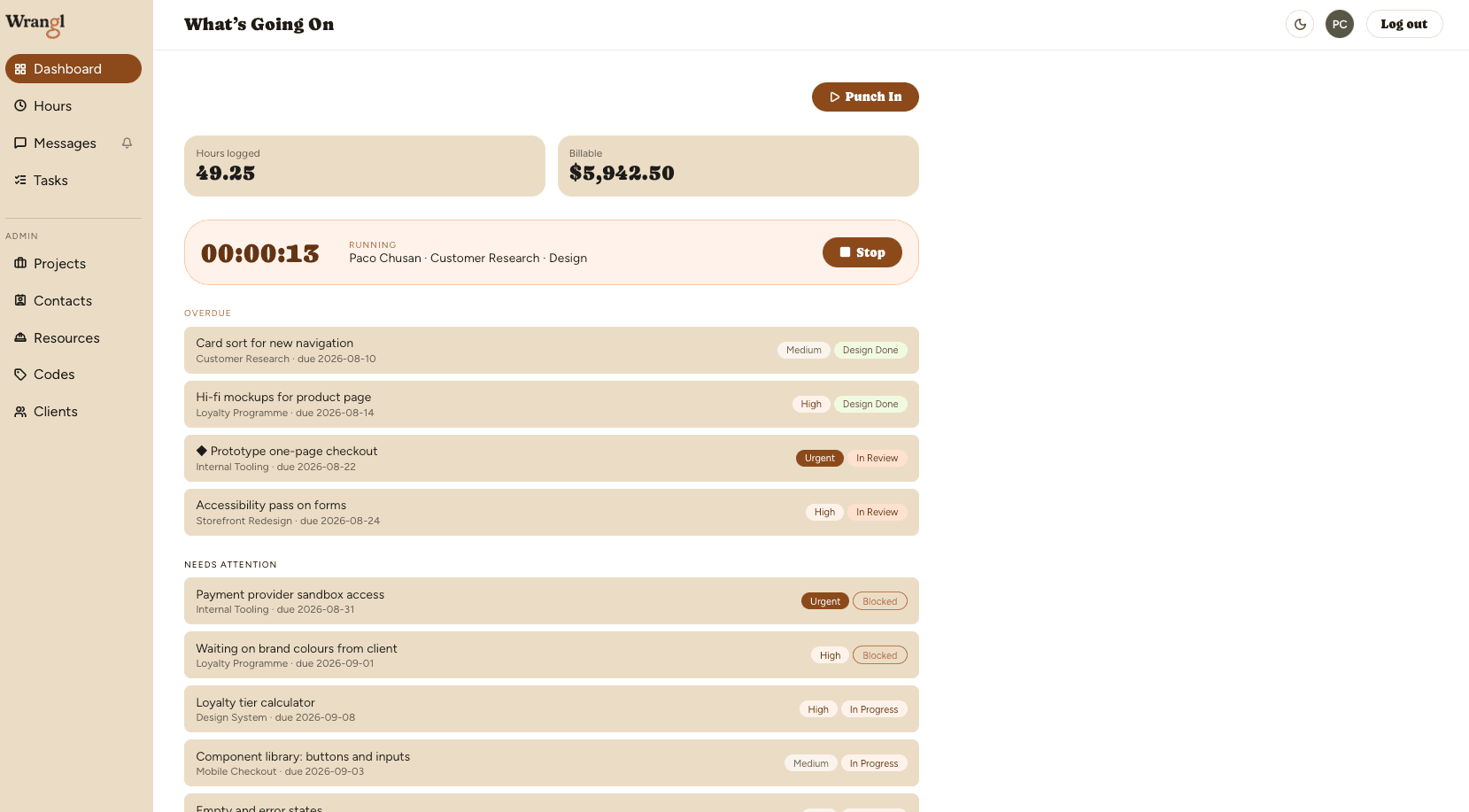
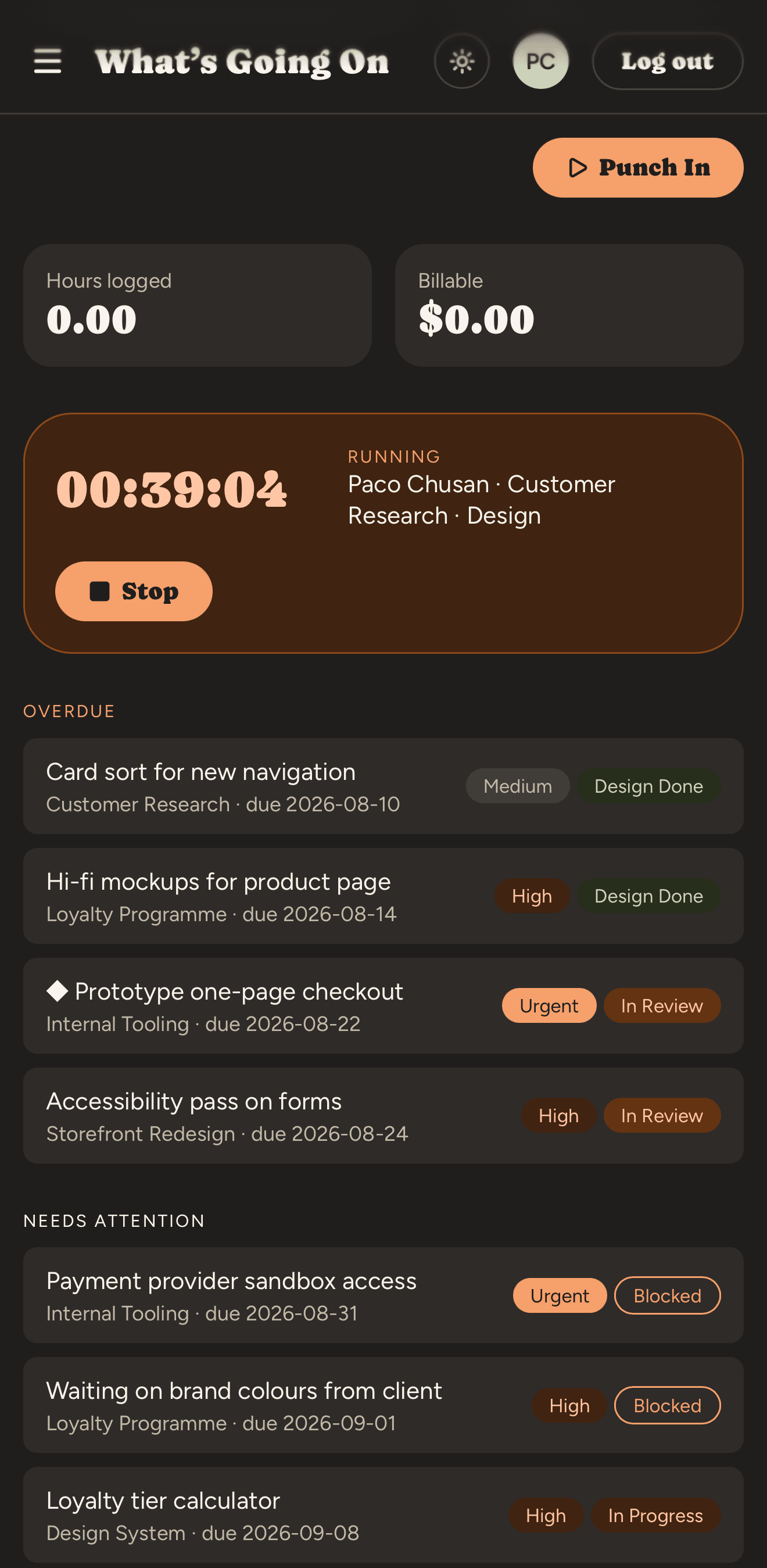
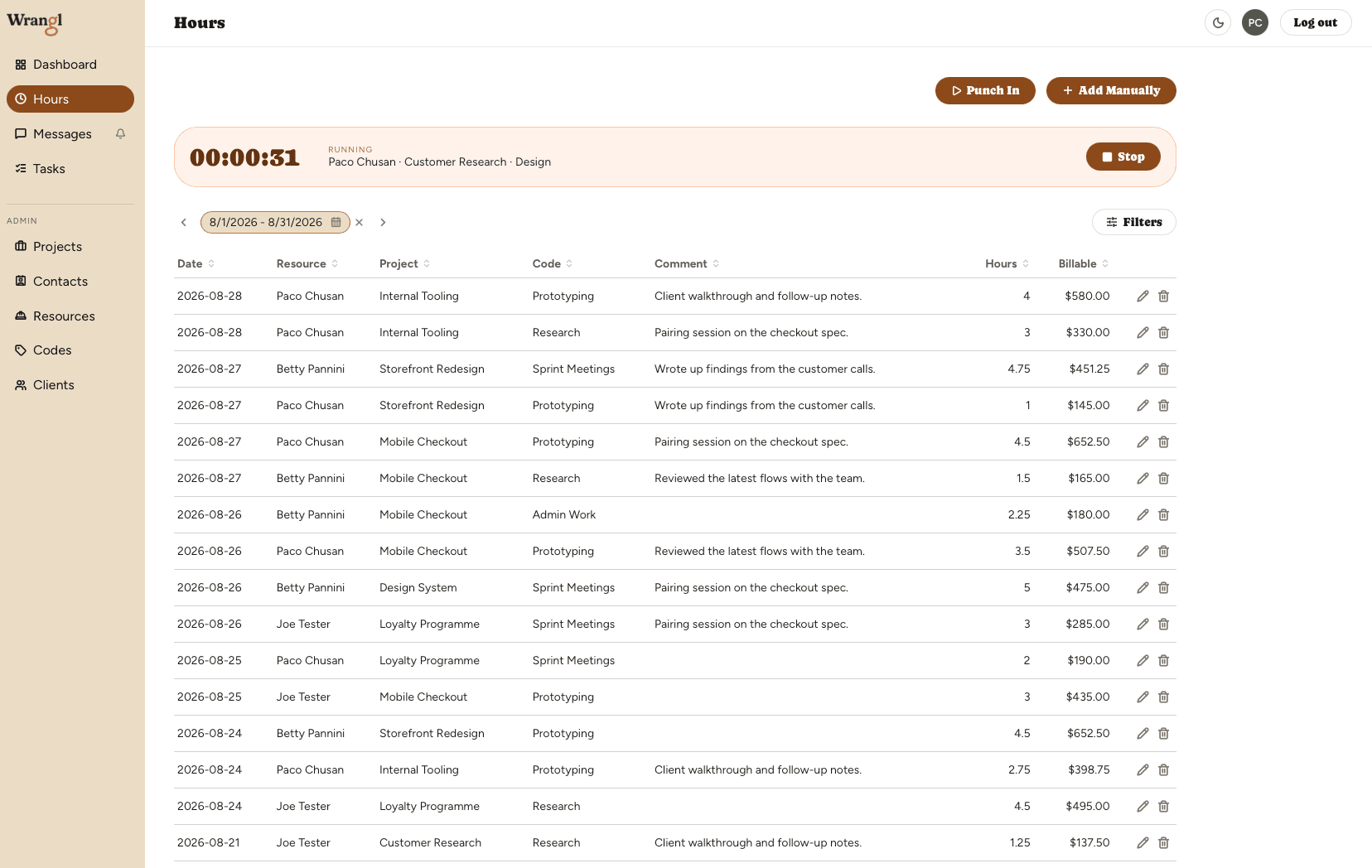
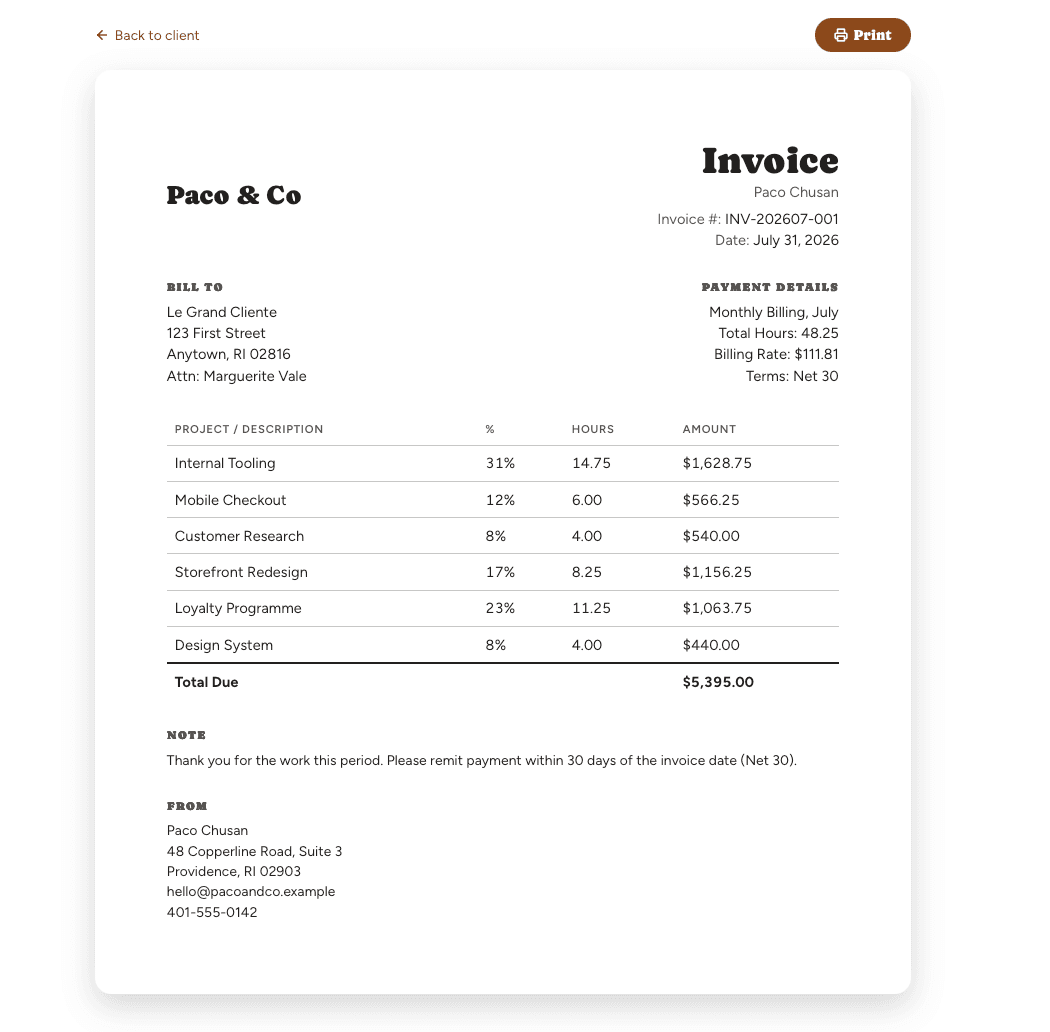
Run the work on a board, track the time against it, keep your team's conversation beside it, and turn a month into an invoice in five minutes.
No card. Invoicing included free — one client, two projects, for as long as you want it.
What it actually costs you
Five apps. One job. Six hours you'll never bill.
A project tool. A task tracker. A spreadsheet. A chat app. A word processor for the invoice. Five subscriptions, five places to lose something, and a Friday afternoon spent rebuilding your own week from memory.
The subscriptions aren't what cost you. The six hours you forgot to write down are what cost you.
How it goes instead
Punch in. That's the whole discipline.
1
Punch in
One tap, on the phone in your pocket. The hour lands on the right project because you picked it when you started, not three weeks later.
2
The daily look
Sixty seconds. Where you stand against what's billable, before the month gets away from you.
3
Five-minute month-end
Pick the period. Generate. Send. The invoice is a record of what happened, not your best recollection of it.
Bringing people in
Put anyone on a job. No login required.
Bring in a designer for two weeks or an editor for three days, and track their time like anyone else's. They don't need an account, an invite, or twenty minutes learning your software. You log their hours against the job; they get on with the work.
Usually, tracking someone's time means giving them a login first. Here a person can be on the job without ever signing in. They count as a seat, the same as anyone else on your team — they just don't have to be a user.
Running the work
The job lives here too, not just the hours.
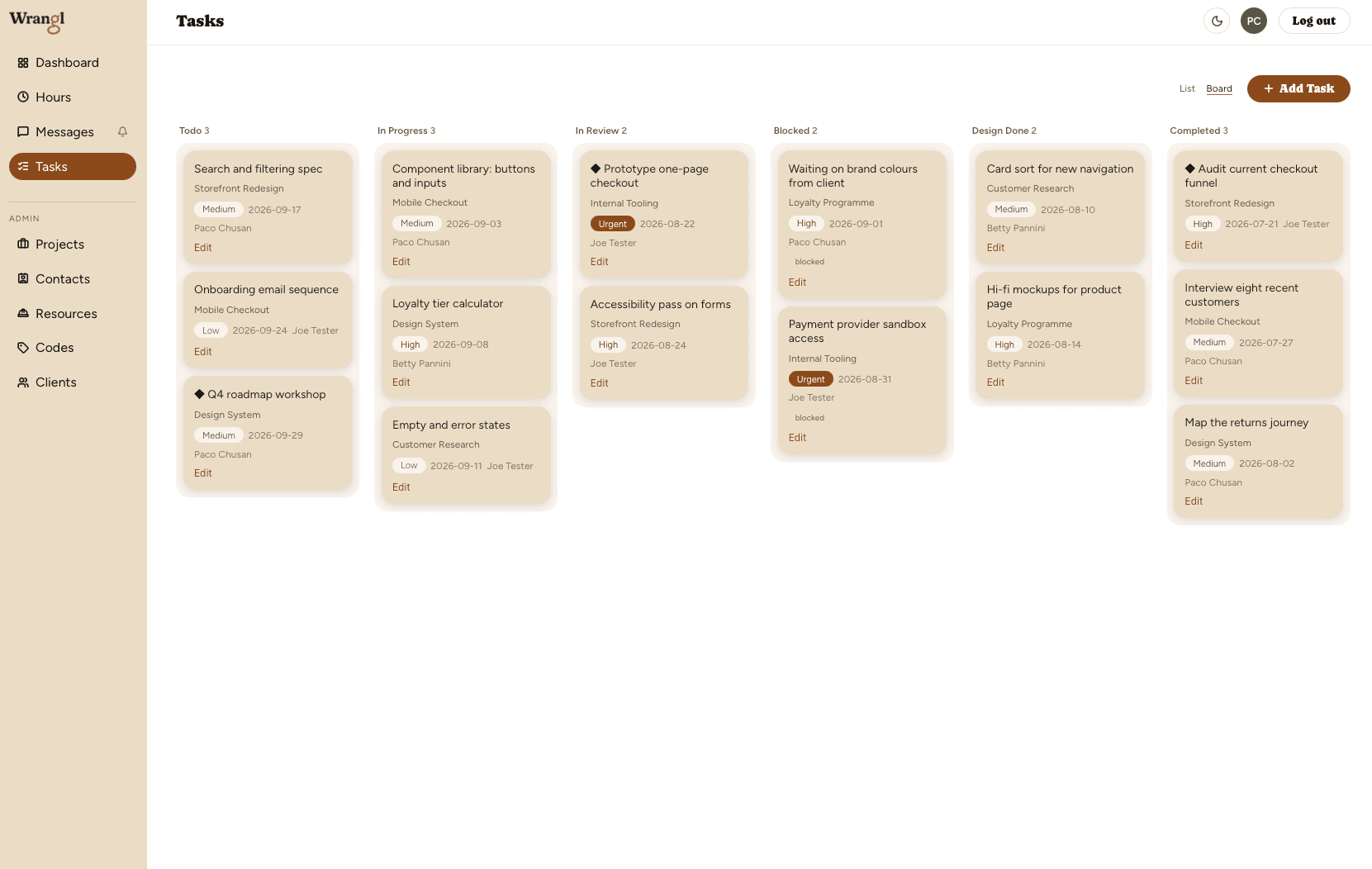
Two views, one board
A list when you're scanning, a board when you're moving. Drag a card to change its status and it stays where you put it.
Tasks that nest
Real child tasks, not a naming convention and some indentation. A job breaks down the way the job actually breaks down.
Milestones, marked
Flag the ones that matter and they stand out — the dates a client asked about, rather than the next thing on the pile.
Statuses that fit the trade
Todo, In Progress, In Review, Blocked, Design Done, Completed. Built around work that goes out for approval and comes back.
Why this one
Built by someone who used the others and knew it could be better.
Your structure, not ours
Your codes, your projects, your own names for the parts of a job. If a tool makes you reorganise your business to fit its dropdowns, it doesn't understand your trade.
The conversation lives with the work
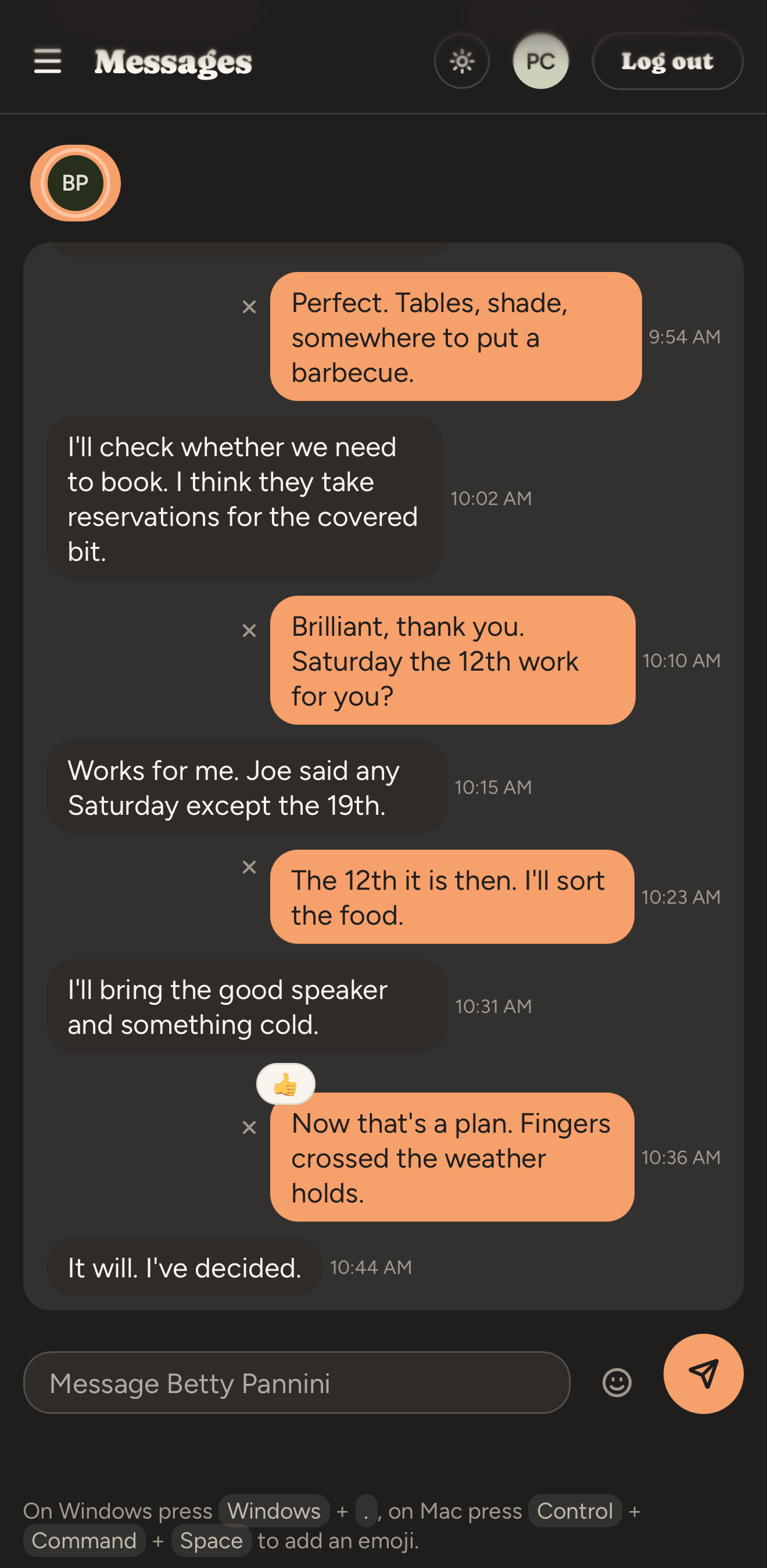
Direct messages on every paid plan, shared team chat on Premium, and no per-person chat add-on. When the answer to “which version did we send?” is in a chat app three screens away from the job, it may as well be lost.
It works on the phone you already have
The whole app — boards, hours, invoices, messages — installed on your phone straight from the browser. No app store, and no separate mobile version to learn.
Pricing
Priced for people who send their own invoices.
Free
$0
One client, two projects, one seat. Invoicing included — a free tier that can't invoice isn't a free tier.
Start freeBasic
$9.99 per seat / month
Unlimited clients and projects, direct messages, invoicing. Everything you need to run the work and bill for it.
Start BasicPremium
$15.99 per seat / month
Everything in Basic, plus shared team chat, and cost rates and margins — what you're making, not just what you're billing.
Start 14-day Premium trial

Questions
The things people ask first.
Is invoicing really included on the free plan?
Yes. Free includes invoicing for your one client and its two projects. No card, and no trial clock running down.
What counts as a seat?
Each active person whose time you track — whether or not they ever sign in. A subcontractor you log hours for is a seat, the same as someone with a login.
Do the people I bring in need an account?
No. You can track someone's time without them ever signing in. If they do need to use Wrangl themselves, you can give them access on a paid plan.
How does the multi-seat discount work?
Once you have more than one seat, the whole bill is 10% off — every seat, not just the extra ones.
What happens if I cancel?
You move to Free, and nothing is deleted. One client and two of its projects stay editable, everything else stays visible as read-only, and only the account owner can sign in until you upgrade again.
Is there a mobile app?
Wrangl installs from your browser onto your phone's home screen and opens like any other app. It's the same app you use on your desktop, not a cut-down version.
Can my clients message me in Wrangl?
No — messaging is for your team, so the conversation about the work sits next to the work. Your clients get invoices, not a chat thread.

From the builder
I built project software for people running projects before phones could run it. Years later I went looking for what I'd want now, used what's out there, and knew it could be better — rigid codes, no room for how work actually nests, messaging shoved into somebody else's app.
So I built it again. This is that.
— Phillip